When you want to improve your online privacy or access the internet through a different server, you may come across two common terms: VPN and Proxy.
At first, they may seem like the same thing because both can route your internet traffic through another server and hide your original IP address from the websites you visit.
However, a VPN and a proxy work differently, and they are designed for somewhat different purposes.
In this guide, we’ll explain what a VPN is, what a proxy is, how they work, their main differences, their advantages and disadvantages, and which one you should use.
What Is a VPN?
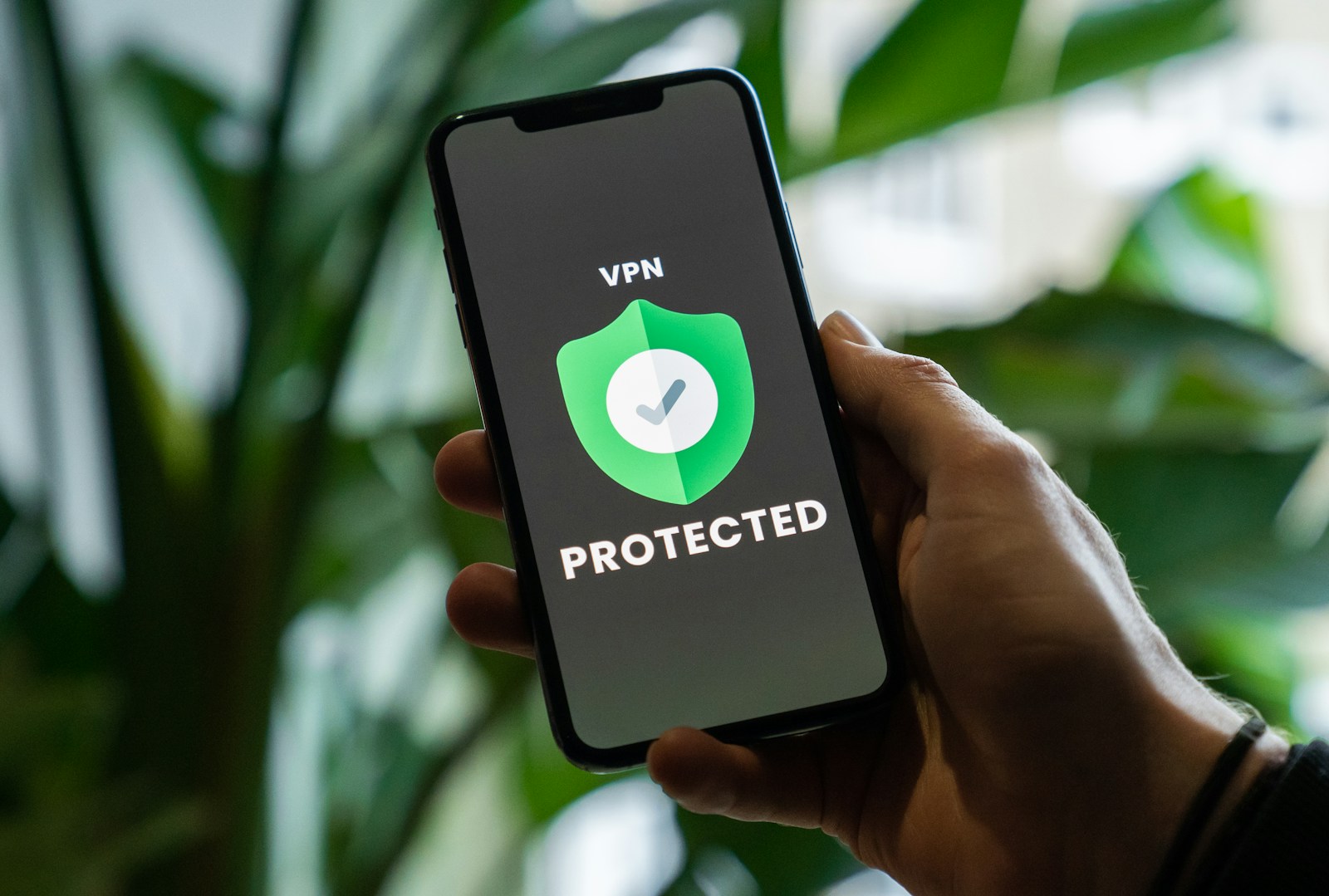
A VPN (Virtual Private Network) creates an encrypted connection between your device and a VPN server.
When you connect to a VPN, your internet traffic is routed through the VPN server before reaching the destination website or online service.
Instead of the website seeing your normal public IP address, it will generally see the IP address of the VPN server.
How Does a VPN Work?
A simplified VPN connection looks like this:
Without VPN:
Your Device → ISP → Website
With VPN:
Your Device → Encrypted VPN Connection → VPN Server → Website
The VPN encrypts traffic between your device and the VPN server.
This can be particularly useful when you’re using an untrusted network, such as public Wi-Fi.
What Is a Proxy?
A proxy server acts as an intermediary between your device and another internet service.
Instead of connecting directly to a website, your connection can go through the proxy server.
A simplified connection looks like this:
Your Device → Proxy Server → Website
The website may see the proxy server’s IP address instead of your original IP address.
How Does a Proxy Work?
When you configure an application to use a proxy, that application’s traffic is sent through the proxy server.
For example, if your web browser is configured to use a proxy:
Browser → Proxy → Website
The proxy receives the request and forwards it to the destination.
However, not all proxy traffic is encrypted.
This is one of the biggest differences between a VPN and a proxy.
VPN vs Proxy: The Main Difference
The easiest way to understand the difference is:
A VPN generally protects and encrypts traffic from your device to the VPN server, while a proxy primarily acts as an intermediary for traffic from a particular application or service.
A VPN typically operates at the operating-system/network level, while many proxies are configured for individual applications.
For example, you might configure a proxy only in your browser, while a VPN can route traffic from multiple applications through the VPN connection.
VPN vs Proxy Comparison
| Feature | VPN | Proxy |
|---|---|---|
| Hides your IP from websites | Yes | Usually |
| Encrypts connection to the intermediary | Generally yes | Depends on proxy type |
| Covers multiple applications | Usually | Often application-specific |
| Browser-only configuration | Possible | Very common |
| Can protect public Wi-Fi traffic | Yes | Not necessarily |
| Usually slower than no intermediary | Yes | Usually less overhead |
| Setup complexity | Moderate | Often simple |
| Main purpose | Privacy, security and routing | Traffic routing and IP masking |
Does a VPN Hide Your IP Address?
Yes.
When you connect to a VPN, websites you access through the VPN will generally see the VPN server’s public IP address rather than your home’s public IP address.
For example:
Your actual IP:
203.0.113.25
VPN server IP:
198.51.100.40
The website generally sees:
198.51.100.40
instead of your normal public IP.
However, this does not make you completely anonymous online.
Does a Proxy Hide Your IP Address?
Usually, yes.
A proxy can make websites see the proxy server’s IP address instead of your original IP address.
However, the exact behavior depends on the type of proxy and how it is configured.
Some proxies can also send identifying information in HTTP headers.
Therefore, not every proxy provides the same level of privacy.
VPN Encryption vs Proxy Encryption
This is one of the most important differences.
VPN
A VPN generally creates an encrypted tunnel between your device and the VPN server.
This helps protect your traffic from being easily read by someone monitoring the connection between you and the VPN server.
Proxy
A proxy does not automatically encrypt your connection.
Some proxy types can use encryption, such as HTTPS proxies, but the protection depends on the specific proxy and protocol.
This means you shouldn’t assume:
Proxy = Encrypted
or:
VPN = Anonymous
They provide different types of protection.
What Is an HTTP Proxy?
An HTTP proxy is designed primarily for HTTP traffic.
It can be used to route web requests through another server.
HTTP proxies are commonly associated with web browsing and can be configured in browsers or other applications.
Is an HTTP Proxy Encrypted?
Not necessarily.
If the connection between you and the proxy isn’t encrypted, someone monitoring that connection may be able to observe unencrypted traffic.
For websites using HTTPS, the connection between your browser and the website can still be encrypted separately.
What Is an HTTPS Proxy?
An HTTPS proxy can establish an encrypted connection between the client and proxy, depending on how the proxy is implemented.
This provides more protection than a plain HTTP proxy, but it still isn’t equivalent to the full-device encrypted tunnel typically provided by a VPN.
What Is a SOCKS Proxy?
SOCKS is a proxy protocol that can handle different types of network traffic.
A commonly encountered version is SOCKS5.
Unlike an HTTP proxy, SOCKS is not specifically designed only for web traffic.
It can be used by applications that support SOCKS proxies.
Does SOCKS5 Encrypt Traffic?
SOCKS5 itself does not provide encryption.
This is a common misconception.
A SOCKS5 proxy can change how traffic is routed, but encryption depends on the application or another security layer.
For example, an HTTPS connection can still provide encryption between the browser and website while using a SOCKS proxy.
Which Is Faster: VPN or Proxy?
There isn’t one universal answer.
Speed depends on:
- Server location
- Server load
- Your internet connection
- Routing
- Encryption overhead
- Proxy/VPN provider
- Network congestion
A proxy can sometimes be faster because it may perform less processing than a VPN.
However, a high-quality VPN can also provide excellent speeds.
Why Can a VPN Be Slower?
Encryption and routing through an additional server can introduce some overhead.
The farther the VPN server is from your physical location, the greater the potential latency.
For everyday browsing, however, the difference may not be noticeable with a good VPN service.
Which Is Better for Privacy?
Generally, a reputable VPN provides stronger privacy protection than a basic proxy because it can protect traffic from your device to the VPN server across the connection.
However, the VPN provider itself becomes an important consideration.
The VPN provider may potentially have access to information about your connection, depending on its architecture and logging practices.
A VPN Doesn’t Make You Invisible
Even with a VPN, websites may still identify you through:
- Your account
- Cookies
- Browser fingerprinting
- Tracking technologies
- Login information
For example, if you log into Facebook while using a VPN, Facebook still knows which account is logged in.
A VPN primarily changes your network path and the public IP address presented to websites.
Which Is Better for Public Wi-Fi?
A VPN is generally the better choice for protecting your network traffic when using an untrusted public Wi-Fi network.
For example:
Coffee shop Wi-Fi → VPN → Internet
The VPN provides an encrypted connection between your device and the VPN server.
A basic proxy doesn’t necessarily provide this protection.
Which Is Better for Browsing?
For simple browser-based IP masking, a proxy can be sufficient.
For broader privacy and security protection, a VPN is generally more appropriate.
The choice depends on what you’re trying to accomplish.
VPN vs Proxy for Streaming
Both VPNs and proxies can potentially change the IP address that a streaming service sees.
However, streaming platforms often use systems designed to detect and restrict certain proxy and VPN connections.
Therefore, neither guarantees access to every streaming service or region.
The availability of content also depends on the service’s licensing agreements and terms.
VPN vs Proxy for Gaming
A proxy can sometimes be used for gaming if the particular game or gaming application supports it.
A VPN can route gaming traffic through a different server.
However, using either one can potentially increase latency because the traffic has to travel through an additional server.
When Could a VPN Help Gaming?
A VPN might help in certain situations, such as:
- Connecting to a different network route
- Accessing a service that is available through another region
- Improving routing in unusual network conditions
But it can also make ping worse.
Therefore, don’t assume a VPN will automatically reduce ping.
VPN vs Proxy for Downloading
Both technologies can be used to route certain types of traffic through another server.
However, their behavior depends heavily on the application.
A VPN can generally route traffic from the entire device or selected applications.
A proxy may only affect the application configured to use it.
For example:
VPN: Browser + Game + Other Apps → VPN
Browser Proxy: Browser → Proxy
Other apps → Normal connection
This difference can be very important.
Can You Use a VPN and Proxy Together?
Yes, technically they can be used together in some configurations.
For example:
Your Device → VPN → Proxy → Website
However, adding more intermediary servers doesn’t automatically make you safer.
It can also make the connection:
- Slower
- More complicated
- More difficult to troubleshoot
For most users, using a reputable VPN alone is simpler.
Free VPN vs Free Proxy
You should be careful with both free VPNs and free proxies.
Free VPN Risks
Some free VPN services may:
- Display advertisements
- Collect user information
- Restrict bandwidth
- Limit server locations
- Limit usage
- Use weaker infrastructure
The business model matters.
A service that doesn’t charge users still needs a way to pay for servers and development.
Free Proxy Risks
Public proxies can be particularly unreliable.
They may:
- Stop working without warning
- Be overloaded
- Be slow
- Log traffic
- Inject content
- Have poor security
- Be operated by unknown parties
This is why using random free proxies from the internet isn’t recommended for sensitive activities.
VPN vs Proxy: Which One Should You Use?
The best option depends on your goal.
Use a VPN If You Want:
- Better protection on public Wi-Fi
- Encryption between your device and the VPN server
- To route multiple applications through another network
- To hide your home IP from websites
- More comprehensive traffic routing
Use a Proxy If You Want:
- Browser-specific IP routing
- Application-specific routing
- A simple intermediary for a particular application
- A specific proxy protocol supported by your software
VPN vs Proxy for Different Situations
| Situation | Better Choice |
|---|---|
| Public Wi-Fi security | VPN |
| General privacy | VPN |
| Whole-device traffic routing | VPN |
| Browser-only routing | Proxy can be sufficient |
| Application-specific routing | Proxy can be useful |
| Changing visible IP | Both |
| Encryption | VPN generally |
| Simple web proxy configuration | Proxy |
| Business network access | VPN |
| Remote private network access | VPN |
Common VPN and Proxy Myths
Myth 1: VPN and Proxy Are Exactly the Same
False.
Both can route traffic through another server, but they operate differently and provide different levels of protection.
Myth 2: Every Proxy Encrypts Your Data
False.
Encryption depends on the type of proxy and connection being used.
Myth 3: SOCKS5 Automatically Encrypts Everything
False.
SOCKS5 provides proxying, not encryption by itself.
Myth 4: A VPN Makes You Completely Anonymous
False.
A VPN can hide your IP address from websites and encrypt traffic to the VPN server, but it doesn’t eliminate all forms of online tracking or identification.
Myth 5: A VPN Always Makes Internet Faster
False.
A VPN can actually reduce speed or increase latency depending on the server, routing and network conditions.
Myth 6: Free VPNs Are Always Better Because They Cost Nothing
False.
Free services can have limitations and privacy or security concerns. Always research the provider before trusting it with your internet traffic.
How to Choose a VPN
If you decide to use a VPN, don’t choose one simply because it has the most servers.
Look at:
- Privacy policy
- Logging practices
- Security reputation
- Supported protocols
- Server locations
- Connection speed
- Independent audits, where available
- Device support
- Kill-switch functionality
- Customer support
- Pricing
Most importantly, choose a provider you trust, because the VPN becomes an important part of your internet connection.
How to Choose a Proxy
If you specifically need a proxy, consider:
- Proxy type
- Reliability
- Server location
- Speed
- Authentication support
- Privacy policy
- Provider reputation
- HTTPS support where appropriate
Avoid using unknown public proxies for sensitive information.
Final Thoughts
VPNs and proxies can both act as intermediaries between your device and the internet, but they aren’t the same technology.
A VPN generally provides an encrypted connection between your device and the VPN server and can protect traffic from multiple applications.
A proxy typically routes traffic for a particular application or protocol and may not encrypt the connection.
If your main goal is privacy, security on public Wi-Fi, or routing traffic from your entire device through another network, a reputable VPN is generally the better choice.
If you only need application-specific routing or a simple proxy connection, a proxy may be enough.
The most important thing is to understand what each technology actually does. Changing your IP address doesn’t automatically make you anonymous or secure, and neither a VPN nor a proxy can replace good security practices.
Frequently Asked Questions
What is the main difference between a VPN and a proxy?
A VPN generally encrypts traffic between your device and the VPN server and can cover multiple applications. A proxy usually acts as an intermediary for a specific application or type of traffic.
Is a VPN better than a proxy?
For general privacy and security, a reputable VPN is generally the better choice. A proxy can still be useful for specific applications or use cases.
Does a proxy hide my IP address?
Usually, yes. Websites may see the proxy server’s IP address instead of your original IP address, depending on the proxy configuration.
Does a VPN hide my IP address?
Yes. Websites generally see the VPN server’s public IP address when your traffic is routed through the VPN.
Is a proxy encrypted?
Not necessarily. Encryption depends on the proxy type and the connection being used.
Does SOCKS5 encrypt traffic?
No. SOCKS5 is a proxy protocol, not an encryption protocol.
Is a VPN faster than a proxy?
Not always. Speed depends on server quality, location, routing, network conditions and other factors.
Which is better for public Wi-Fi?
A VPN is generally better because it can provide an encrypted connection between your device and the VPN server.
Can I use a VPN and proxy together?
Yes, in some configurations. However, doing so can add complexity and potentially increase latency without providing a meaningful benefit for most users.
Does a VPN make me anonymous?
No. A VPN can improve privacy and hide your IP address from websites, but websites can still identify you through accounts, cookies and other tracking technologies.
Can I use a proxy instead of a VPN?
Yes, if your particular goal only requires proxy functionality. However, a proxy does not necessarily provide the same encryption and device-wide protection as a VPN.
Which should beginners use?
For general privacy and security, a reputable VPN is usually the simpler choice. If you only need to route a particular browser or application through another server, a proxy may be sufficient.