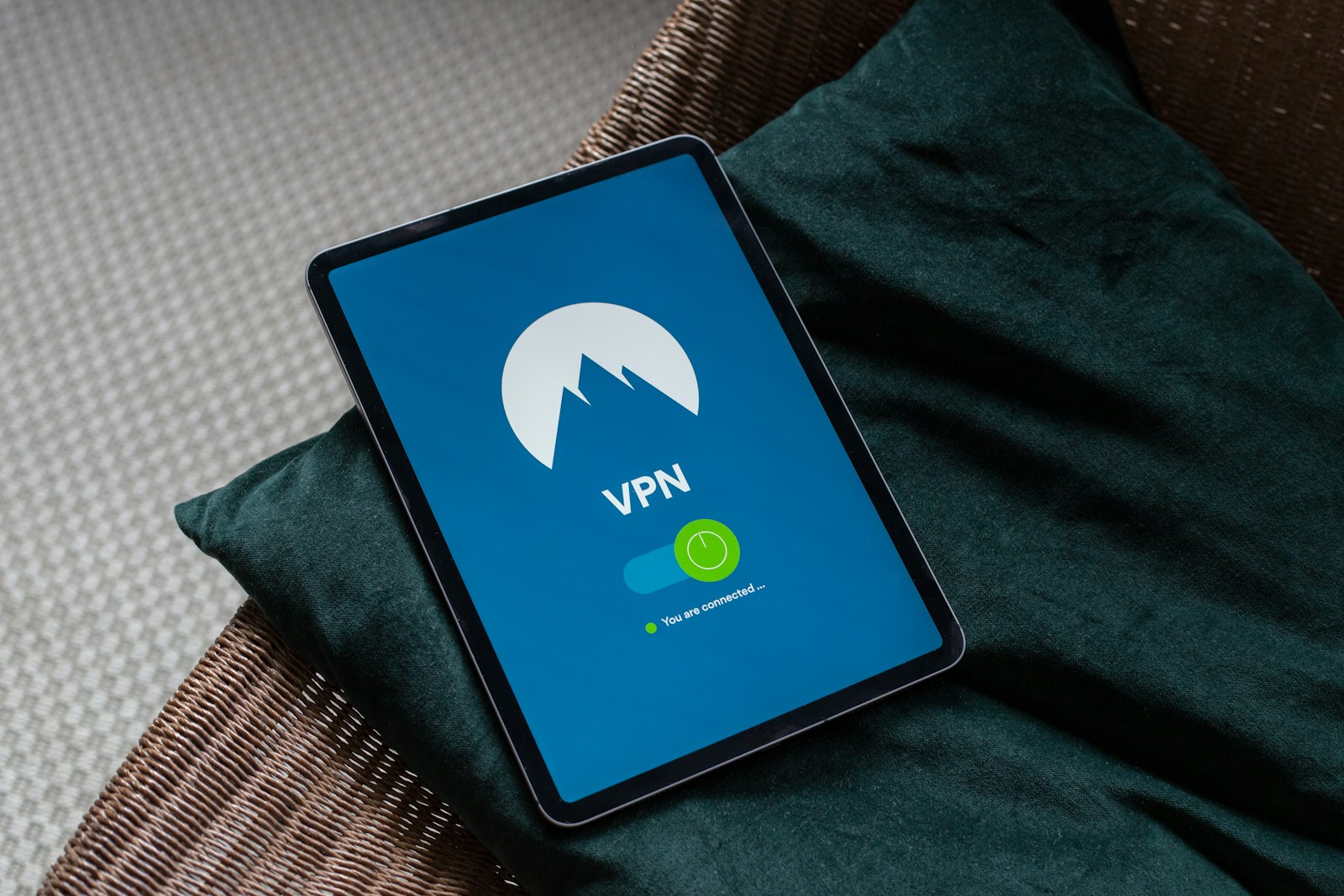
A VPN can hide your normal public IP address and route your internet traffic through an encrypted connection. But what happens if that VPN connection suddenly drops?
Without additional protection, your device may automatically reconnect to the internet through your normal network connection. Depending on your setup, websites, applications, or other online services could then see your regular public IP address.
This is where a VPN kill switch becomes important.
A kill switch is a feature designed to block internet traffic when the VPN connection is unavailable, helping prevent your device from accidentally communicating over the regular internet connection.
For people who use VPNs for privacy, public Wi-Fi, travel, remote work, or torrenting, understanding how a kill switch works can help prevent unexpected exposure.
In this guide, we’ll explain what a VPN kill switch is, how it works, why it matters, the different types of kill switches, how to test one, and what its limitations are.
What Is a VPN Kill Switch?
A VPN kill switch is a security feature that prevents or restricts internet traffic if your VPN connection unexpectedly disconnects.
Normally, your device can communicate with the internet through your regular network connection.
For example:
Without VPN:
Your device → ISP/network → Internet
With a VPN:
With VPN:
Your device → VPN tunnel → VPN server → Internet
If the VPN suddenly disconnects, your operating system may attempt to use the ordinary network path:
VPN disconnects:
Your device → ISP/network → Internet
A kill switch is designed to interrupt or block that fallback connection.
The goal is simple:
If the VPN isn’t available, don’t allow protected traffic to continue through the ordinary connection.
The exact implementation depends on the VPN application and operating system.
Why Does a Kill Switch Matter?
The main reason a kill switch matters is that a VPN connection isn’t guaranteed to remain active every second.
VPN connections can occasionally disconnect because of:
- Weak Wi-Fi
- Switching between networks
- Router problems
- VPN server issues
- VPN application crashes
- Internet interruptions
- Sleep or wake events
- Network changes
- VPN protocol problems
- Operating system updates
- Mobile network changes
Without a kill switch, your device may reconnect through your normal internet connection.
You might not notice this immediately.
Your browser could continue loading pages, or a background application could continue transferring data.
A kill switch provides an additional layer that can reduce this type of accidental exposure.
How Does a VPN Kill Switch Work?
The basic concept is straightforward, but the underlying implementation can vary.
A VPN application can configure your device’s network routing or firewall rules so that traffic is allowed through the VPN interface while the VPN is connected.
If the VPN connection disappears, those rules can block traffic.
A simplified example looks like this:
VPN connected
Application → VPN interface → VPN server → Internet
Traffic is allowed.
VPN disconnected
Application → VPN unavailable → Internet traffic blocked
The kill switch prevents the application from simply switching to:
Application → regular network interface → Internet
Once the VPN reconnects, normal traffic can resume.
The precise mechanism can involve routing tables, firewall rules, network filters, or operating-system-specific networking controls.
What Happens Without a Kill Switch?
Imagine you’re connected to a VPN while browsing the web.
Everything works normally.
Then, for a few seconds, the VPN connection drops.
Without a kill switch, your operating system may automatically restore normal internet connectivity.
Your connection could therefore look like this:
10:00:00 — VPN connected
Website → VPN IP
10:00:05 — VPN disconnects
Website → Your normal ISP IP
10:00:10 — VPN reconnects
Website → VPN IP
That five-second period may be enough for an application to communicate outside the VPN.
The problem isn’t necessarily that your VPN failed.
The issue is that your device was allowed to continue communicating after the VPN failed.
What Happens With a Kill Switch?
With a properly functioning kill switch, the same event could look different.
10:00:00 — VPN connected
Internet traffic → VPN
10:00:05 — VPN disconnects
Internet traffic → Blocked
10:00:10 — VPN reconnects
Internet traffic → VPN
This creates a fail-closed approach.
Instead of saying:
“If the VPN fails, use the regular connection.”
The kill switch attempts to enforce:
“If the VPN fails, stop the traffic until it is available again.”
What Information Can a Kill Switch Help Protect?
A kill switch primarily helps prevent traffic from continuing outside the VPN connection.
Depending on the application and configuration, this can help prevent exposure of:
- Your normal public IP address
- Network traffic from specific applications
- DNS requests
- Torrent traffic
- Other connections that would otherwise use the regular interface
However, the exact protection depends on how the kill switch is implemented.
A kill switch should therefore be viewed as one part of a VPN privacy setup, not a complete privacy solution.
VPN Kill Switch vs VPN Connection
It’s important to understand that a kill switch doesn’t create the VPN connection.
The VPN itself provides the tunnel.
The kill switch deals with what happens when that tunnel isn’t available.
Think of them as two separate functions:
| Feature | Main Purpose |
|---|---|
| VPN | Routes traffic through the VPN server |
| Encryption | Protects traffic within the VPN tunnel |
| Kill switch | Blocks traffic if the VPN connection fails |
| DNS protection | Helps keep DNS requests within the intended path |
| IP leak protection | Helps prevent unintended IP exposure |
A kill switch therefore doesn’t replace the VPN.
It protects against a specific failure scenario.
Different Types of VPN Kill Switches
Not every kill switch works exactly the same way.
VPN providers may use different approaches and names for their implementations.
Two broad concepts are particularly useful to understand.
System-wide kill switch
A system-wide kill switch attempts to block internet traffic from the entire device when the VPN isn’t connected.
For example:
VPN connected:
All normal internet traffic → VPN
VPN disconnected:
All internet traffic → Blocked
This provides broad protection.
It can be useful when you don’t want any application to accidentally use your ordinary internet connection.
Application-specific kill switch
Some VPN applications allow you to specify particular applications that should be blocked if the VPN disconnects.
For example, you might configure:
- Torrent client → VPN required
- Browser → Normal connection allowed
- Messaging application → Normal connection allowed
If the VPN disconnects, the protected application is blocked while other applications may continue using the regular connection.
This approach can provide more flexibility.
System-Wide vs Application-Specific Kill Switch
The right choice depends on what you’re trying to protect.
| Feature | System-Wide | Application-Specific |
|---|---|---|
| Protection scope | Entire device | Selected applications |
| Configuration | Usually simpler | More customizable |
| Accidental exposure | Lower if correctly configured | Depends on selected apps |
| Internet access during VPN failure | Usually blocked | Some apps may continue |
| Flexibility | Lower | Higher |
| Best for | Broad VPN-only usage | Selective VPN routing |
For users who want the simplest approach, a system-wide kill switch can be easier to understand.
For advanced users, application-specific controls can provide greater flexibility.
Is a Kill Switch Always Active?
Not necessarily.
Some VPN applications require you to manually enable the kill switch.
Others may provide different modes or settings.
You should check your VPN application’s settings rather than assuming that the feature is active.
Look for terms such as:
- Kill Switch
- Internet Kill Switch
- Network Lock
- Always-on VPN
- Block internet when VPN disconnects
- Network protection
Different VPN providers can use different names.
Why VPN Users Shouldn’t Assume the Kill Switch Works
A kill switch is a technical feature that should be tested rather than blindly trusted.
Your VPN may show a kill switch option, but the actual behavior can depend on:
- Operating system
- VPN protocol
- VPN application version
- Network configuration
- Split tunneling
- IPv4/IPv6 settings
- Firewall configuration
- Application-specific routing
A good practice is to deliberately test the feature before relying on it.
How to Test a VPN Kill Switch
Testing is relatively simple.
Step 1: Enable the kill switch
Open your VPN application and enable its kill-switch feature.
Read the application’s description carefully because different providers may offer different modes.
Step 2: Connect to the VPN
Connect to a VPN server and verify that internet access works normally.
Step 3: Start a simple network activity
Open a website or use another harmless network connection.
Step 4: Interrupt the VPN connection
Depending on your VPN application, you can test by disconnecting the VPN or simulating a connection interruption.
Avoid deliberately causing unnecessary network problems on important work or active downloads.
Step 5: Check whether internet traffic stops
If the kill switch is working as intended, internet access should be blocked or restricted according to the feature’s design.
Step 6: Reconnect the VPN
Reconnect to the VPN and verify that normal internet access returns.
Step 7: Check your IP
After reconnecting, verify that websites see the VPN IP rather than your normal public IP.
A Simple Kill Switch Test Example
Suppose your normal public IP is:
Normal connection: ISP IP
You connect to the VPN:
VPN connection: VPN IP
Then the VPN disconnects.
Without a kill switch
Your application may immediately reconnect using:
ISP IP
With a working kill switch
Your application should lose internet connectivity until the VPN becomes available again, depending on the kill-switch implementation.
The key question is:
Does traffic continue when the VPN connection disappears?
If yes, investigate your configuration.
What Is an Always-On VPN?
Some operating systems provide an always-on VPN feature.
This is related to the same general idea but isn’t necessarily identical to a traditional VPN provider’s kill switch.
An always-on VPN can be configured to keep VPN connectivity active and, depending on the platform and configuration, prevent traffic from using other network paths.
The exact behavior varies by operating system.
Therefore, don’t assume that “always-on VPN” and “kill switch” are technically identical.
They solve related problems but can be implemented differently.
Does a Kill Switch Prevent IP Leaks?
A kill switch can help prevent IP exposure caused by VPN disconnections.
For example:
VPN connected → VPN IP visible
VPN disconnects → traffic blocked
This can prevent your normal public IP from becoming visible during the outage.
However, a kill switch doesn’t necessarily prevent every possible IP leak.
Other issues can include:
- IPv6 leaks
- DNS leaks
- WebRTC-related exposure
- Split-tunnel configuration
- Application-specific routing
- Incorrect firewall rules
- Network interfaces outside the VPN
That’s why kill-switch protection should be combined with VPN leak testing.
Kill Switch and IPv6 Leaks
IPv6 deserves special attention.
Your device may have both IPv4 and IPv6 connectivity.
If your VPN only handles IPv4 correctly, your IPv6 traffic could potentially bypass the VPN.
A kill switch may not automatically solve every IPv6 configuration problem.
If you’re concerned about IPv6 exposure, perform a dedicated IPv6 leak test while connected to the VPN.
You should understand how your VPN provider handles IPv6 rather than assuming the kill switch covers every networking path.
Kill Switch and DNS Leaks
DNS leaks are another separate issue.
Your public IP may appear to be the VPN IP while DNS requests still use an unintended DNS provider.
A kill switch can potentially help depending on how the VPN controls DNS traffic, but it should not be treated as a complete DNS leak solution.
Test DNS separately.
A good VPN privacy check can therefore include:
- Public IPv4 test
- IPv6 test
- DNS leak test
- WebRTC-related test
- Kill-switch test
Does a Kill Switch Matter for Torrent Users?
Yes, it can be particularly useful for torrent users.
BitTorrent is a peer-to-peer protocol. Participating peers can potentially see the public IP address associated with your torrent connection.
If you’re using a VPN specifically to prevent your normal public IP from being exposed to torrent peers, an unexpected VPN disconnect can be important.
Without a kill switch:
Torrent client → VPN disconnects → normal network → torrent continues
With a properly configured kill switch:
Torrent client → VPN disconnects → traffic blocked
This is why some VPN users specifically look for kill-switch support and VPN interface binding when configuring torrent clients.
Kill Switch vs VPN Interface Binding for Torrenting
These features are related but different.
A kill switch operates at the VPN or system networking level, depending on implementation.
VPN interface binding is a torrent-client configuration that tells the application to use a particular network interface.
For example:
Torrent client → VPN interface
Instead of:
Torrent client → any available network interface
This can provide an additional layer of protection.
Using both approaches can reduce the chance of accidental traffic outside the VPN, although the exact behavior depends on the operating system, VPN client, and torrent application.
Does a Kill Switch Stop All Internet Traffic?
Not always.
This depends on the implementation.
Some kill switches are designed to block essentially all internet traffic outside the VPN.
Others may operate only under certain conditions or protect selected applications.
Some VPNs also provide settings that allow local network access while blocking external internet traffic.
For example, you may still be able to access:
- Local printers
- Local network devices
- Router interfaces
- LAN resources
while external internet traffic is blocked.
Always check how your specific VPN implements its kill switch.
Can a Kill Switch Cause Internet Problems?
Yes.
That’s one of the trade-offs.
A strict kill switch can block internet access whenever the VPN is unavailable.
This is intentional.
For example, if your VPN server becomes unreachable, you may suddenly find that:
Websites stop loading.
Apps lose connectivity.
Downloads stop.
This can be frustrating, but if the purpose of the kill switch is to prevent non-VPN traffic, the behavior may be exactly what you want.
Why Does My Internet Stop Working After Enabling a Kill Switch?
This can happen for several reasons.
VPN isn’t connected
A strict kill switch may block traffic whenever the VPN isn’t active.
VPN connection failed
Your VPN may be unable to establish a connection.
Firewall conflict
Another firewall or security application may interfere with the VPN’s networking rules.
Network change
Switching between Wi-Fi, Ethernet, or mobile networks can temporarily interrupt the VPN.
VPN application problem
An outdated or malfunctioning VPN client can cause connectivity issues.
Incorrect configuration
Split tunneling, DNS, protocol, or network settings may conflict with the VPN.
Try disabling the kill switch temporarily to determine whether it is causing the connectivity block.
Does a Kill Switch Slow Down the Internet?
A kill switch itself generally isn’t intended to reduce your internet speed significantly.
Its primary purpose is traffic control.
Your VPN connection may reduce speed because your traffic travels through an additional server and encryption layer, but the kill switch is not normally the main cause of that slowdown.
If you notice a major speed difference after enabling the feature, compare:
- VPN connected + kill switch off
- VPN connected + kill switch on
If the difference is substantial, investigate your VPN application and network configuration.
Does a Kill Switch Protect Against Malware?
No.
A kill switch is not an antivirus feature.
It doesn’t normally detect:
- Viruses
- Trojans
- Ransomware
- Malicious downloads
- Fake software
- Phishing pages
Its job is primarily to control network connectivity when the VPN isn’t available.
You still need appropriate security measures such as:
- Updated operating system
- Security software
- Safe browsing habits
- Trusted download sources
- File scanning
- Regular backups
Does a Kill Switch Make You Anonymous?
No.
A kill switch can help prevent your normal IP address from being exposed during a VPN connection failure, but it does not make you anonymous.
Websites can still identify users through many other mechanisms, including:
- Account logins
- Cookies
- Browser fingerprinting
- Tracking systems
- Information voluntarily provided
- Device characteristics
A VPN and kill switch should therefore be considered privacy tools rather than guaranteed anonymity systems.
Does a Kill Switch Hide Your Activity From Your VPN Provider?
No.
The kill switch doesn’t change the basic trust relationship with the VPN provider.
When your traffic passes through the VPN, the VPN provider operates the infrastructure carrying that traffic.
The kill switch simply determines what happens when that VPN connection isn’t available.
This is why choosing a VPN provider involves more than looking for a kill switch.
You should also consider:
- Privacy policy
- Logging practices
- Security design
- Jurisdiction
- Technical transparency
- Independent audits where available
- P2P policies if relevant
Kill Switch and Public Wi-Fi
A kill switch can be useful when using public Wi-Fi in places such as:
- Hotels
- Airports
- Cafés
- Libraries
- Universities
- Coworking spaces
Public Wi-Fi can be unstable, which increases the chance of a VPN connection interruption.
If the VPN disconnects while you’re using a sensitive application, a kill switch can help prevent that application from simply falling back to the ordinary network.
However, a kill switch does not make an untrusted Wi-Fi network automatically safe.
Kill Switch and Mobile Devices
Kill-switch behavior can differ significantly on mobile operating systems.
Phones frequently switch between:
- Wi-Fi
- Cellular data
- Different Wi-Fi networks
- Sleep states
- Mobile network conditions
Some operating systems provide built-in VPN controls that can work alongside VPN applications.
If privacy is important on a mobile device, check the VPN application’s settings and the operating system’s VPN settings carefully.
Common VPN Kill Switch Problems
Here are some issues users may encounter.
Kill switch blocks the internet even when VPN isn’t running
This can happen if the VPN’s network protection remains active.
Restarting the VPN application or device may help, depending on the implementation.
Kill switch doesn’t appear to work
Repeat a controlled test and verify whether your applications actually lose connectivity when the VPN connection is interrupted.
Some applications still have internet access
Those applications may be excluded through split tunneling or another routing rule.
Local network continues working
This may be intentional if the VPN allows LAN access.
Torrent stops but browser keeps working
Your VPN may have an application-specific kill switch or torrent-specific routing configuration.
VPN reconnects too quickly to observe the block
A very short interruption may be difficult to notice. Testing with a controlled connection interruption can make the behavior easier to observe.
Common Mistakes When Using a VPN Kill Switch
Mistake 1: Assuming it’s enabled
Check the VPN settings.
Mistake 2: Never testing it
A feature you haven’t tested shouldn’t be treated as guaranteed.
Mistake 3: Ignoring IPv6
A kill switch doesn’t automatically prove that IPv6 is handled correctly.
Mistake 4: Ignoring DNS
DNS should be tested separately.
Mistake 5: Forgetting split tunneling
Excluded applications may intentionally bypass the VPN.
Mistake 6: Assuming it protects against malware
A kill switch isn’t antivirus software.
Mistake 7: Assuming it provides anonymity
It doesn’t.
Mistake 8: Ignoring application-specific routing
A browser test may not represent how another application behaves.
Should You Always Enable a VPN Kill Switch?
For many privacy-focused VPN users, enabling a kill switch is a sensible choice.
It’s particularly useful if you want to ensure that your device doesn’t automatically fall back to its normal internet connection when the VPN disconnects.
It can be especially relevant when:
- You regularly use public Wi-Fi
- You want consistent VPN-only traffic
- You use a VPN for torrenting
- You handle sensitive network traffic
- You frequently move between networks
- You don’t want temporary VPN failures to expose your normal IP
However, some users may prefer normal internet access to continue if the VPN disconnects.
The right choice depends on your priorities.
Kill Switch Advantages and Disadvantages
| Advantages | Disadvantages |
|---|---|
| Helps prevent traffic outside the VPN | Can interrupt internet access |
| Can reduce IP exposure during VPN failures | May cause confusing connectivity problems |
| Useful for privacy-focused users | Requires proper configuration |
| Helpful on unstable networks | May conflict with other network software |
| Useful for VPN-only applications | Doesn’t solve every type of leak |
| Can be valuable for torrent users | Doesn’t provide anonymity |
How to Configure a VPN Kill Switch Safely
A sensible setup process is:
1. Install a reputable VPN application
Use the provider’s official software.
2. Update the VPN application
Make sure you’re using a current version.
3. Enable the kill switch
Find the relevant network protection setting.
4. Review split tunneling
Make sure important applications aren’t unintentionally excluded.
5. Connect to a VPN server
Confirm that your public IP changes.
6. Test the connection
Verify normal internet access while connected.
7. Test the kill switch
Interrupt the VPN connection and check whether traffic stops as expected.
8. Check for IP and DNS leaks
Perform dedicated privacy tests.
9. Test applications you care about
If you use torrenting or another specialized application, test that application separately.
Is a Kill Switch Necessary for Every VPN User?
Not necessarily.
A kill switch is most valuable when avoiding accidental non-VPN traffic is more important than maintaining continuous internet connectivity.
For example, someone who uses a VPN occasionally to access a website may not consider a kill switch essential.
Someone who specifically wants their traffic to remain VPN-only may find it much more important.
The key question is:
What should happen if your VPN disconnects unexpectedly?
If your answer is:
“I want internet traffic to stop until the VPN reconnects.”
Then a kill switch is an important feature to consider.
Frequently Asked Questions
What is a VPN kill switch?
A VPN kill switch is a feature designed to block or restrict internet traffic when the VPN connection becomes unavailable, helping prevent traffic from automatically falling back to your normal internet connection.
Why do I need a VPN kill switch?
It can help prevent accidental exposure of your normal public IP address and other traffic when the VPN disconnects unexpectedly.
Does a VPN kill switch hide my IP?
A kill switch can help prevent your normal IP from being exposed during a VPN failure by blocking traffic instead of allowing it to use the regular connection.
Does a kill switch prevent all VPN leaks?
No. It doesn’t necessarily prevent IPv6, DNS, WebRTC-related, split-tunneling, or application-specific exposure. These should be tested separately.
Does a kill switch work when the VPN is disconnected?
That’s generally its purpose. A properly configured kill switch should restrict the relevant traffic while the VPN isn’t available, although exact behavior varies between providers.
Why does my internet stop when I turn on the kill switch?
A strict kill switch may intentionally block internet traffic whenever the VPN isn’t connected. This is designed to prevent traffic from using your normal network.
Can I use a kill switch for torrenting?
Yes. A kill switch can be useful for torrent users who want torrent traffic to stop if the VPN connection fails. VPN interface binding can provide an additional application-level control where supported.
Does a kill switch slow down my VPN?
The kill switch itself generally isn’t intended to significantly reduce VPN speed. The VPN connection itself can affect performance.
Does a kill switch protect me from viruses?
No. A kill switch controls network traffic. It doesn’t replace antivirus software or safe file-handling practices.
Does a kill switch make me anonymous?
No. It can reduce IP exposure during VPN failures, but it doesn’t prevent account-based identification, tracking, browser fingerprinting, or other forms of identification.
Is a kill switch the same as an always-on VPN?
Not necessarily. They’re related features, but an always-on VPN and a traditional VPN kill switch can be implemented differently depending on the operating system and VPN provider.
Should I enable a VPN kill switch?
If you want your traffic to remain VPN-only and prefer losing internet access over accidentally using your normal connection, enabling a kill switch is generally a sensible choice.
Final Thoughts
A VPN kill switch is a relatively simple feature with an important purpose.
A VPN can disconnect for many reasons, and without additional protection your device may attempt to restore normal internet connectivity through your regular network.
A kill switch is designed to prevent that fallback.
The basic principle is:
VPN connected → traffic uses VPN
VPN disconnected → protected traffic stops
This can be particularly useful for privacy-focused users, people on unstable networks, and torrent users who don’t want their applications to continue communicating through their normal connection after a VPN failure.
However, a kill switch isn’t a complete privacy solution.
It doesn’t automatically prevent DNS leaks, IPv6 leaks, WebRTC-related exposure, malware, tracking, or every possible routing problem.
For the best results, combine a kill switch with proper VPN configuration and regular leak testing.
Key Takeaways
- A VPN kill switch blocks or restricts traffic when the VPN connection fails.
- Its main purpose is to prevent traffic from falling back to the normal internet connection.
- A kill switch can help reduce accidental public IP exposure.
- System-wide and application-specific kill switches work differently.
- Kill switches are particularly useful for VPN-only privacy setups and torrenting.
- IPv6 and DNS leaks should still be tested separately.
- Split tunneling can intentionally allow some applications to bypass the VPN.
- A kill switch doesn’t protect against malware or guarantee anonymity.
- You should test the kill switch rather than simply assuming it works.
- The exact behavior depends on the VPN provider, application, operating system, and configuration.